
How do I get my invoice?Updated 3 hours ago
Your invoice can be downloaded from three places, so pick whichever is easiest:
1. From your customer account (anytime)
Log in at account.bokabas.com, open “Orders” and click on the order in question: the “Download my invoice” button is at the bottom of the page, in the “Need an invoice?” box.
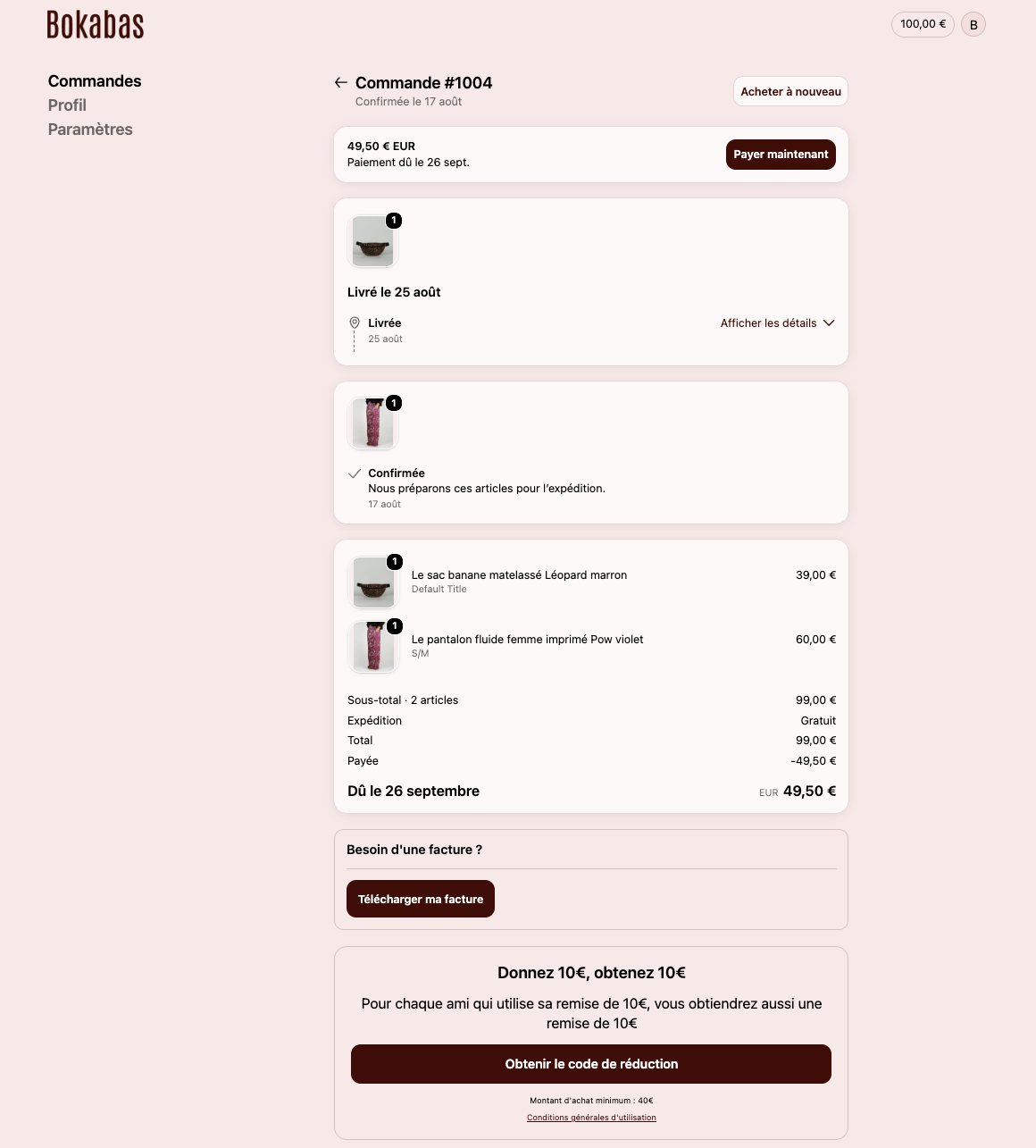
2. Right after your purchase
The “Download my invoice” button appears directly on your order confirmation page.
3. In your confirmation email
The “order confirmed” email also includes a link to your invoice.
Your invoice automatically includes the shipping and billing addresses you entered when ordering.